Guide · Adventure
Astro Digger Tips and Strategy
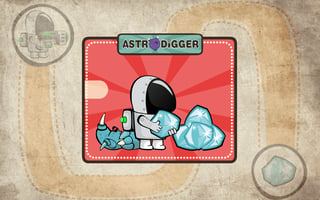
Astro Digger is a digging game where an astronaut tunnels down through brown soil toward blue gems on a small planet. These tips come from a short first session on Level 1 using the Down and Right arrow keys.
- Read the hint card before Level 1 starts. It says to collect gold and minerals and to press the teleport button if you get stuck, which sums up the whole level.
- Dig with the arrow keys. Down and Right presses usually cleared one block of soil each and left an orange tunnel behind the astronaut. Holding a key doesn't keep digging, so tap it once per block.
- Plan your tunnel before you dig. The three blue gems on Level 1 sit in a row just above a line of gray rocks, so dig down beside them and then turn sideways into them.
- Watch the tunnel after each press. A press does not always move the astronaut a full block, so check the screen instead of counting presses alone.
- Remember the teleport button in the top right. It is the round icon with stacked rings, and the hint card says it is there for when you get stuck.
- Do not worry about the timer at first. The Time counter at the top counts up from 0:00, and nothing went wrong when it passed one and a half minutes in testing.
Astro Digger is easy to pick up because you dig with simple key presses, usually one block per press. Look at where the gems and rocks are before you dig, and keep the teleport button in mind for when a tunnel goes wrong.
Reading the Level 1 layout
Level 1 starts with the astronaut standing on the grass next to a glass pod, with machines and a lamp post behind him. Below the grass is a solid wall of brown soil blocks.
Near the bottom are three blue gems in a row, with gray rocks under and beside them. The gems are the clear target. Dig down through the brown soil, then turn sideways into that gem row, and stay clear of the gray rocks.