Guide · Adventure
Astro Digger Beginner's Guide - How to Get Started
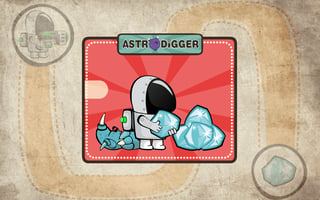
Starting Astro Digger for the first time? Here is what the menus look like and how the first level plays, from a short first session in the browser.
What is Astro Digger?
Astro Digger is a block-by-block digging game. You control an astronaut who starts on the surface of a small planet and tunnels down through soil to reach gold and minerals. Level 1 shows three blue gems near the bottom of the screen with gray rocks around them. A Level counter and a Time counter sit at the top left, and icons with counters for the teleport, a red item and gems sit at the top right.
First steps
- On the title screen, click the red PLAY button to start at Level 1.
- Read the Level 1 hint card, which says to collect gold and minerals and to use the teleport button if you get stuck.
- Click the Play button on the right side of the card to start the level.
- Press the Down arrow key a few times to tunnel straight down from the surface.
- Turn with the Right arrow key once you are level with the row of blue gems, and dig across toward them.
Who it's for
Astro Digger suits players who like calm, puzzle-like digging with simple key presses, and younger players who want easy arrow-key controls with a clear goal on screen.
What the icons on screen are for
The top left shows the level number and a Time counter that counts up. The top right has three round icons with numbers under them: the stacked rings for the teleport, a red item, and a blue gem counter that started at zero.
The left side shows a column of button icons, and large see-through arrow icons appear in the middle of the screen. These were not tested in this session, so stick with the arrow keys.