Guide · Skill
Books Tower Beginner's Guide - How to Get Started
New to Books Tower? Here is how to get from the loading screen to your first run, and what the screens show.
What is Books Tower?
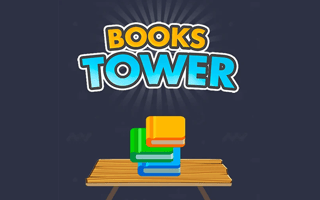
Books Tower, shown on its title screen as Books Tower Challenge, is a free browser stacking game. A single book lies on a wooden table. Another book slides back and forth near the top of the screen, and you press to drop it onto the pile. Each book that lands adds one point to the score at the top. A drop that misses ends the run and shows your score. There are no levels or menus to learn, so a run starts within seconds.
First steps
- Click OK, PLAY NOW! on the loading screen.
- On the Books Tower Challenge title screen, press the large blue play button.
- Watch the sliding book for a couple of passes to get a feel for its speed.
- Press when it is directly above the book on the table. The score goes up by one when it lands.
- Keep each new book close to the middle of the pile so the tower does not drift too far to one side.
- When the run ends, press the blue play button on the results screen to try again.
Who it's for
Players who want a quick timing game they can pick up for a minute. It uses one button, and each run is short.
The results screen
At the end of a run the screen shows Players Online, your score in large numbers, a BEST line and a Your Rank line. Under that are the share, play and trophy buttons, and a REVIVE? option with a film icon. The revive option was not tried during testing.