Guide · Adventure
Bobb's World Tips and Strategy
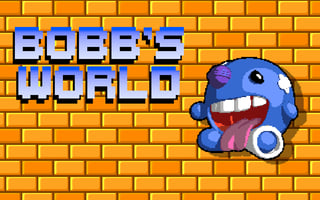
Bobb's World opens on an interactive title stage with hanging signs, three tooth-lined doorways and a blue round character. These tips come from a session that walked that stage, opened Options and practiced the listed keys.
- Read the hanging controls sign on the right before you move. It lists MOVE on Left, Right, A and D; JUMP on Space, W and Up; and ENTER on E.
- Stand in a doorway before you press E. Walking near the left doorway raised an OPTIONS sign, and pressing E there opened the options room; standing under PLAY on the center platform is how that sign appeared for me.
- In Options, jump on the red floor buttons. A banner says JUMP ON THE BUTTONS, and each button sits under a hanging setting such as SFX, MUSIC or CONTROLS.
- To leave Options, walk into the small exit hut on the right and press E. The EXIT sign shows an E key and the word ENTER above that hut.
- Use the center raised platform when you want the PLAY sign. In my run PLAY hung under the title once Bobb was on that middle ledge.
- Practice jumps on the title grass before you commit to a doorway. Space, W and Up all jumped for me, and short hops were enough to climb from the left ledge onto the center platform.
Learn the listed keys on the title sign, use E only when you are in the doorway you want, and jump on the Options buttons when you need to change SFX, music or controls.
How the title stage is laid out
The title stage sits on a yellow brick wall with brown earth and green grass platforms. Three brown doorways with green stripes and red tooth edges sit left, center and right. Green pipes rise on the far right, and thin poles with round green tops act as simple trees.
BOBB'S WORLD hangs at the top in blue block letters. A large yellow controls board hangs on the right, and smaller chain signs such as OPTIONS or PLAY appear depending on where Bobb stands.
What I changed in Options
The options room uses a blue brick wall and a grass floor with three red and white buttons. Signs showed SFX: ON, MUSIC: ON, CONTROLS: KEYBOARD and EXIT with an E Enter hint. After I jumped on the music button, the music sign read MUSIC: OFF for the rest of that visit.