Guide · Adventure
Bobb's World Beginner's Guide - How to Get Started
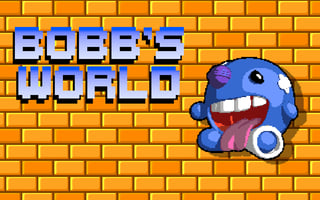
Just starting Bobb's World? Here is the title stage and Options room as they appeared in a short keyboard session.
What is Bobb's World?
Bobb's World is a pixel platformer whose first screen is already a small level. You steer Bobb, a round grinning character that looked blue on the title stage and purple in Options, across grass platforms under a yellow brick wall. Hanging signs show the controls, and tooth-lined doorways lead to Options or toward PLAY. The Options room lets you jump on buttons to toggle SFX, music and the controls mode before you exit with E.
First steps
- Look at the yellow controls sign on the right so you know MOVE, JUMP and ENTER.
- Walk with Left and Right or A and D and jump with Space to reach the center platform.
- When the PLAY sign hangs under the title, stand on that center ledge near the middle doorway.
- If you want settings first, stand in the left doorway until OPTIONS appears and press E.
- In Options, jump on the buttons under SFX, MUSIC or CONTROLS, then enter the right hut with E to leave.
Who it's for
Players who like pixel platformers with on-screen control reminders and a menu you walk through instead of clicking lists.
Bobb's look on each screen
On the yellow-brick title stage Bobb was a small blue round body with a wide toothy grin and tiny legs. In the Options room the same round body appeared purple while the grin and walk stayed the same.
Doorways versus hanging signs
The hanging OPTIONS and PLAY signs told me which doorway I was near, but entering still needed the E key while Bobb overlapped that doorway. Walking alone past a hut did not open it until I pressed E in place.