Guide · Adventure
Angry Sharks Beginner's Guide - How to Get Started
New to Angry Sharks? This guide walks through the menus and the first minute of the opening level, based on a short first session in the browser.
What is Angry Sharks?
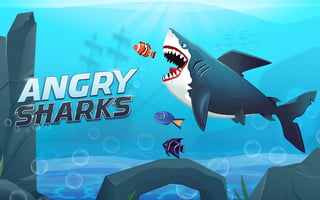
Angry Sharks is an underwater action game made by Inlogic Games, shown as version 1.0.1 on its Instructions screen. You guide a shark around a reef with the mouse. Smaller fish swim toward you, and eating them makes your shark grow. Bigger fish, spiky fish, barrels, mines and spears are listed as dangers. A level ends in success when your shark reaches the size the game asks for, which is tracked by a growth bar at the top of the screen.
First steps
- Click the green OK, PLAY NOW! button on the loading screen to reach the title screen.
- Click the i button near the diving helmet to read the Instructions, then use the back arrow in the top left to return.
- Pick the first shark in the list on the right. In this session it was the only one shown as a full picture, and the other four were faint outlines.
- When the level opens with a dim screen and a MOVE hint, click once to start swimming.
- Go after small fish like clownfish and blue tangs, and keep away from the pufferfish and the barrels on the seabed.
- Check the heart bar and the growth percentage in the top left every few seconds.
Who it's for
Angry Sharks suits players who like simple mouse-only games where you grow by eating smaller creatures, and anyone who wants a quick, colorful underwater game to play in short bursts.
A note on the shark list
The right side of the title screen shows five shark slots. In this first session only the top slot had a full shark picture, and the rest were dim outlines. Clicking the top one started the first level. What it takes to use the other sharks was not seen, so start with the first shark and focus on learning the level.