Guide · Puzzle
Protect My Dog Beginner's Guide - How to Get Started
New to Protect My Dog? This walks through the menu and the first two levels, and what happened when each was played.
What is Protect My Dog?
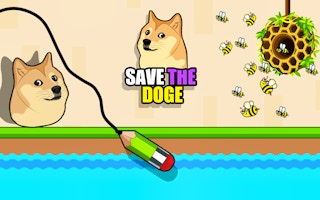
Protect My Dog, titled Save The Dog on its own menu, is a free browser puzzle. Each level shows a dog and a beehive. You draw one line with the mouse to shield the dog, then a swarm of bees flies out and tries to reach it. A clock counts down from 10, and if the dog is still safe when it runs out, the level is cleared. An ink bar at the top with three stars below it shows how much line you can still draw.
First steps
- Click OK, PLAY NOW! on the loading screen, then the blue PLAY button on the menu.
- On Level 1 a pointing hand traces a box around the dog to show the idea.
- Hold the mouse button and draw a dome over the dog with both ends on the grass, then let go.
- Wait while the bees attack the line and the clock counts down.
- On the LEVEL CLEARED screen, click CONTINUE to go on to Level 2.
Who it's for
Players who like short puzzles where one drawing decides the outcome. Each attempt takes about 10 seconds once the line is drawn, so it is easy to retry.
What is on the main menu
Besides PLAY, the menu has LOVE MODE, CHASE MODE, LASER MODE and TELEPORT MODE buttons and a LEVEL button. There is a gear at the top left and a pink shop button at the top right. Only PLAY was tried in testing, so the other modes are not described here.
The result screen
Level 1 ended with three stars and 30 coins, and Level 2 with two stars and 20 coins. The coin counter at the top showed 30 after Level 1. The screen also has a GET X2 button marked AD, which was not pressed, plus a restart button and CONTINUE.