Guide · Adventure
Awesome Duck Beginner's Guide - How to Get Started

Just starting Awesome Duck? Here is what the game is and how the first level works, from a short run that finished level 1.
What is Awesome Duck?
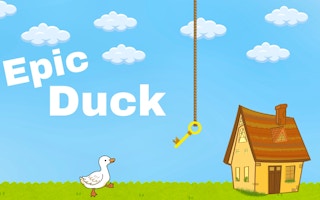
Awesome Duck is a single-screen platformer with a bright pixel look: orange checkered walls, blue sky rooms and green grass ledges. Each level has a locked pink door and a yellow key. You walk and jump the white duck to the key, then bring it back to the door, which opens and lets you through to the next level. The screen wraps at the sides, so leaving one edge brings you back on the other.
First steps
- Press PLAY on the title screen that says DUCK.
- Spot the key in the level before you move. In level 1 it is on the top ledge in the upper right.
- Walk with the Left and Right arrow keys and jump with Up, holding it longer for higher ledges.
- Walk into the key to take it, then make your way back to the pink door.
- When the door opens and a down arrow appears above it, press Down to move on.
Who it's for
Players who want a quick, calm puzzle platformer with short levels and a simple find-the-key goal.
Getting used to the wrap-around screen
The most surprising thing in my session was the screen wrap. Walking off the left side of level 1 put the duck on a ledge on the right side, and from there it dropped straight down to the door. Treat both side edges as open paths when you plan a route.